Table of Contents
Introduction
HTML Tags Explained: When you start learning web development, one of the very first things you’ll come across is HTML (HyperText Markup Language) the backbone of every website on the internet. HTML provides the basic structure that browsers use to display content, from simple text to complex layouts.
In this article, we’ll explore HTML tags in detail what they are, how they work, and which ones you’ll use most often as a beginner. Whether you’re completely new to coding or looking to refresh your knowledge, this guide will walk you through the fundamentals with practical examples.
What is HTML?
HTML stands for HyperText Markup Language. It’s the standard language used to create web pages and web applications. It defines the structure and layout of a webpage by using a variety of tags and elements.
Each element is enclosed within angle brackets, such as <p>, <div>, or <h1>. Browsers interpret these tags to render text, images, links, and other content visually for users.
Example:
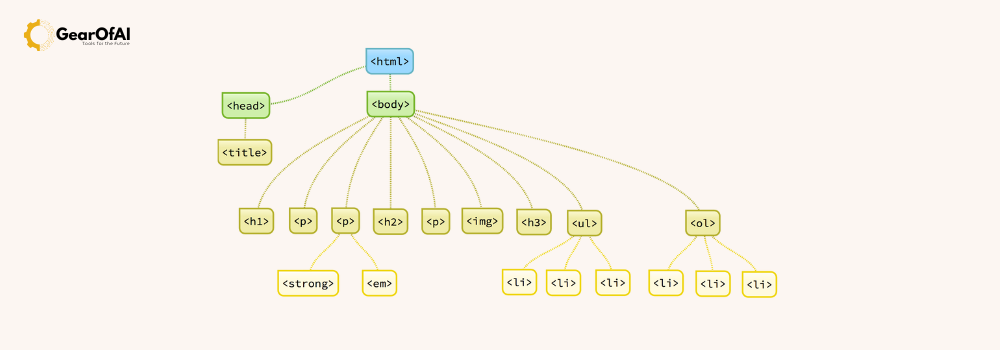
<!DOCTYPE html>
<html>
  <head>
    <title>My First HTML Page</title>
  </head>
  <body>
    <h1>Welcome to My Website</h1>
    <p>This is a simple HTML example.</p>
  </body>
</html>
What Are HTML Tags?
HTML tags are building blocks that tell browsers how to display content. Tags usually come in pairs: an opening tag and a closing tag.
Example:
<p>This is a paragraph.</p>
Here:
<p>= opening tag</p>= closing tag- The text inside = content
Some tags are self-closing, meaning they don’t require a closing tag — for example:<img /> or <br />
Basic HTML Tag Categories
HTML tags can be grouped into several categories based on their functions.
1. Structural Tags
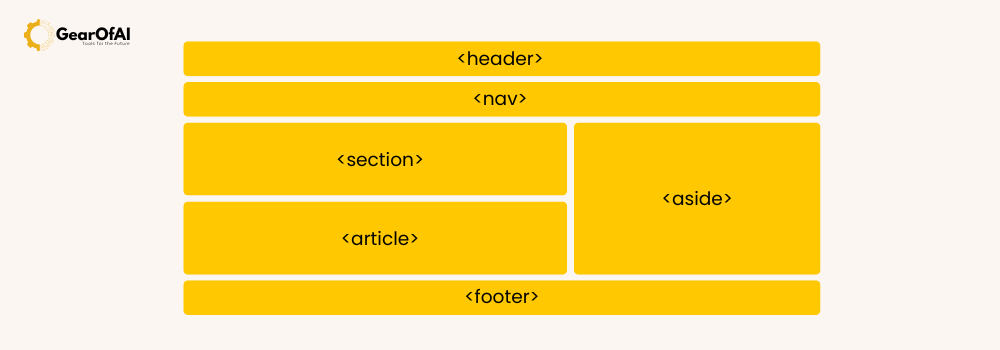
These define the layout and organization of a webpage.
| Tag | Description |
|---|---|
<html> | Defines the root of an HTML document |
<head> | Contains metadata, title, and links to CSS or JS |
<body> | Contains all the visible content |
<div> | A container used to group elements together |
<header>, <footer>, <section>, <article> | Semantic tags for better structure and SEO |
Example:
<header>
  <h1>Welcome to Gear of AI</h1>
</header>
<section>
  <p>Learn about web development and technology trends.</p>
</section>
2. Text Formatting Tags
Used to style and format text content.
| Tag | Function |
|---|---|
<h1> to <h6> | Headings (from largest to smallest) |
<p> | Paragraph |
<b> / <strong> | Bold text |
<i> / <em> | Italic text |
<u> | Underlined text |
<br> | Line break |
<hr> | Horizontal line |
Example:
<h1>Main Heading</h1>
<p>This is a <strong>bold</strong> and <em>important</em> paragraph.</p>

3. Link and Media Tags
These tags allow you to add links, images, videos, and audio to your webpage.
| Tag | Description |
|---|---|
<a> | Creates a hyperlink |
<img> | Displays an image |
<video> | Embeds a video |
<audio> | Embeds audio |
<source> | Specifies media source files |
Example:
<a href="https://gearofai.com">Visit Gear of AI</a>
<img src="images/html-example.jpg" alt="HTML Example Image" />
4. List Tags
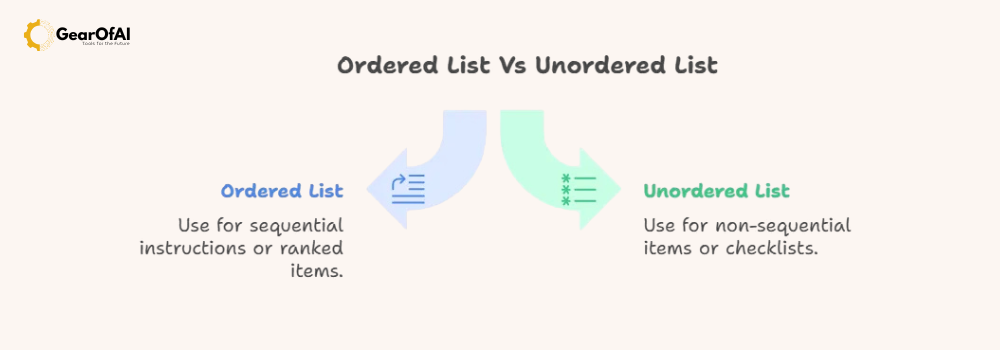
Lists are great for organizing data.
| Tag | Description |
|---|---|
<ul> | Unordered (bulleted) list |
<ol> | Ordered (numbered) list |
<li> | List item |
Example:
<ul>
  <li>HTML</li>
  <li>CSS</li>
  <li>JavaScript</li>
</ul>
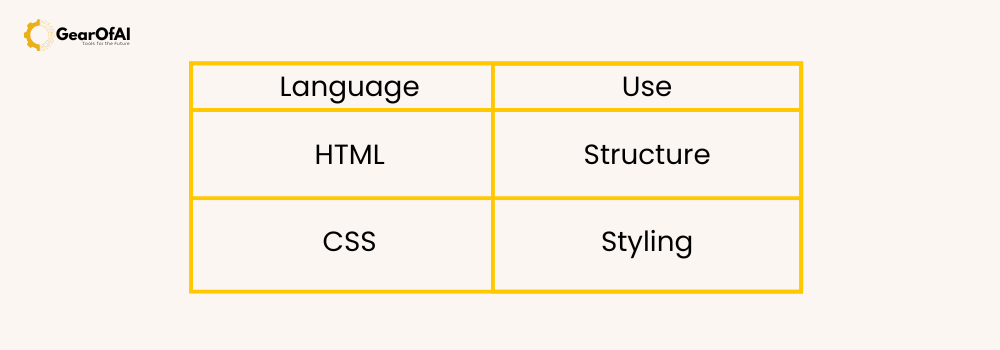
5. Table Tags
Tables are used to display structured data.
| Tag | Description |
|---|---|
<table> | Defines a table |
<tr> | Table row |
<th> | Table header |
<td> | Table data cell |
Example:
<table border="1">
  <tr>
    <th>Language</th>
    <th>Use</th>
  </tr>
  <tr>
    <td>HTML</td>
    <td>Structure</td>
  </tr>
  <tr>
    <td>CSS</td>
    <td>Styling</td>
  </tr>
</table>
6. Form Tags
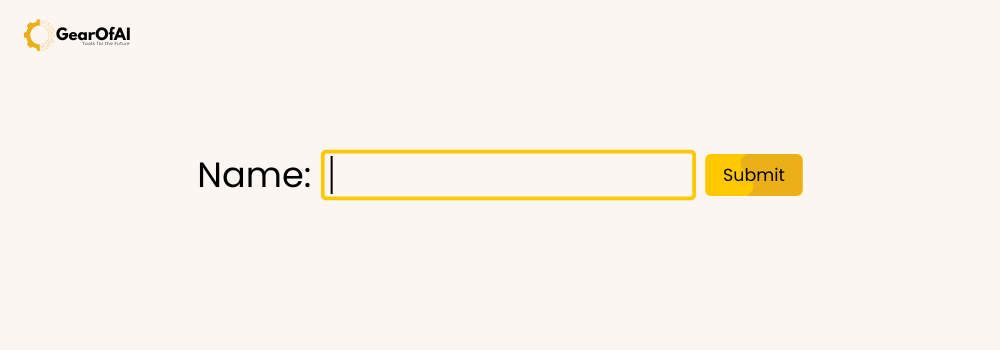
Forms are used to collect user input.
| Tag | Description |
|---|---|
<form> | Creates a form |
<input> | Input field |
<label> | Defines a label for input |
<textarea> | Multi-line input area |
<button> | Creates a clickable button |
<select> / <option> | Drop-down menu |
Example:
<form action="submit.php" method="post">
  <label for="name">Name:</label>
  <input type="text" id="name" name="name" required>
  <button type="submit">Submit</button>
</form>
Why HTML Tags Matter
HTML tags don’t just make your page look organized — they also improve:
- SEO (Search Engine Optimization) by providing semantic meaning.
- Accessibility for screen readers and assistive tools.
- Structure and maintainability for developers.
Pro Tip: Use semantic tags like <header>, <main>, <article>, and <footer> instead of generic <div> elements wherever possible.
Common Mistakes to Avoid
- Forgetting to close tags.
- Nesting elements incorrectly.
- Using too many
<div>tags unnecessarily. - Not including
altattributes for images. - Missing the
<!DOCTYPE html>declaration.
Avoiding these will ensure your code is clean, accessible, and browser-friendly.
Useful Resources for Beginners
- Mozilla Developer Network (MDN) HTML Guide (external link)
- W3Schools HTML Tutorial (external link)
- Gear of AI — Learn Web Development Basics (internal link)
Conclusion
Learning HTML tags is the first step toward becoming a web developer. Once you understand how to structure and format content properly, you’ll be ready to move on to CSS for styling and JavaScript for interactivity.
HTML may seem simple, but mastering it gives you the foundation to build everything from a personal blog to a complex web application.
📩 Have questions about learning HTML or web development? Reach out to us at info@gearofai.com
🌐 Or explore more tutorials on our website: GearOfAI.com